Building AI Agents from Scratch: Fundamentals, Tools, and the ReAct Pattern
Introduction
Every developer building on LLMs eventually hits the same wall: a single prompt, no matter how clever, is a one-shot transaction. You ask, the model answers, and the conversation ends. For simple Q&A or content generation, that’s fine. But what if you need the model to:
- Look up a database, get results, and decide what to query next?
- Write code, run it, check the output, and fix bugs iteratively?
- Search the web, synthesize findings, and compile a report?
These tasks require agency — the ability to perceive an environment, reason about it, take actions, and observe results. That’s what separates an LLM call from an AI agent.
In this post, we’ll strip away the frameworks and build a working AI agent from scratch using nothing but Python, the OpenAI API, and a simple loop. You’ll understand exactly how ReAct (Reasoning + Acting) works under the hood — knowledge that will serve you whether you end up using LangChain, CrewAI, or building custom solutions.
What Makes an Agent?
An AI agent is a system that combines three components:
| Component | Purpose | Example |
|---|---|---|
| Perception | Observes the environment | LLM interprets user input + tool outputs |
| Reasoning | Decides what to do next | LLM generates thoughts and action plans |
| Action | Interacts with the environment | Function calls, API requests, code execution |
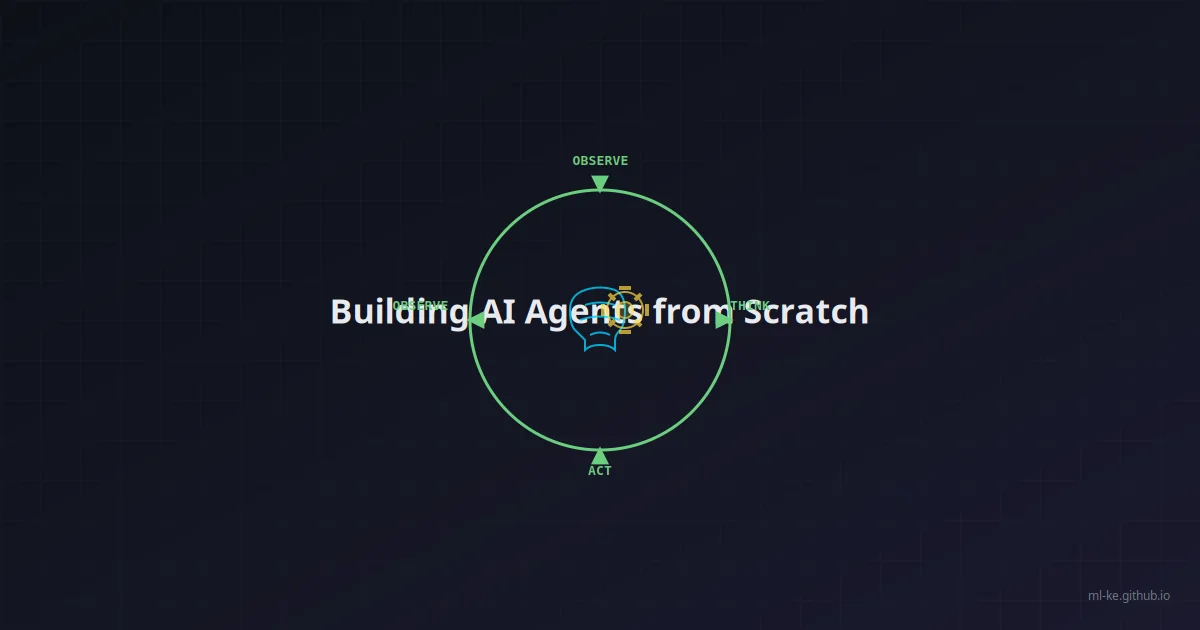
The key insight: the loop — perception → reasoning → action → observation → reasoning → … — is what gives agents emergent problem-solving abilities. Each iteration lets the agent refine its understanding based on real feedback.
Agent vs. Simple LLM Call
A standard LLM prompt gives you:
1
2
3
4
5
6
response = client.chat.completions.create(
    model="gpt-4o",
    messages=[{"role": "user", "content": "What's the weather in Nairobi?"}]
)
print(response.choices[0].message.content)
# "I don't have real-time weather data..."
An agent, in contrast, would:
1
2
3
4
# Step 1: LLM decides it needs to call a tool
# Step 2: Agent executes get_weather("Nairobi")
# Step 3: LLM receives the result
# Step 4: LLM formats a response with real data
The ReAct Pattern
The ReAct pattern (Reasoning + Acting, introduced by Yao et al., 2022) provides a structured way to implement the agent loop. It adds explicit reasoning traces — “thoughts” — between observations and actions, dramatically improving the LLM’s ability to handle complex, multi-step tasks.
A ReAct loop follows this structure:
- Thought: The model explains what it knows and what to do next
- Action: The model specifies a tool call with arguments
- Observation: The tool result is fed back
- (Repeat until the task is complete)
- Final Answer: The model responds to the user
Building a ReAct Agent from Scratch
Let’s build a minimal but functional ReAct agent. We’ll define tools as simple Python functions and let the LLM decide when and how to call them.
Step 1: Define Tool Schema
Every tool needs a schema the LLM can understand:
1
2
3
4
5
6
7
8
9
10
11
12
13
14
15
16
17
18
19
20
21
22
23
24
25
26
27
import json
import re
from typing import Callable


class Tool:
    def __init__(self, name: str, description: str, func: Callable, parameters: dict):
        self.name = name
        self.description = description
        self.func = func
        self.parameters = parameters  # JSON Schema for parameters

    def to_prompt(self) -> str:
        """Format the tool for the LLM prompt."""
        params_desc = []
        for p_name, p_info in self.parameters.get("properties", {}).items():
            required = " (required)" if p_name in self.parameters.get("required", []) else ""
            params_desc.append(f"  - {p_name}{required}: {p_info.get('description', '')}")
        return f"""
Tool: {self.name}
Description: {self.description}
Parameters:
{chr(10).join(params_desc)}
"""

    def run(self, **kwargs):
        return self.func(**kwargs)
Step 2: Define Tools
We’ll create a search tool and a calculator (no external APIs needed for now):
1
2
3
4
5
6
7
8
9
10
11
12
13
14
15
16
17
18
19
20
21
22
23
24
25
26
27
28
29
30
31
32
33
34
35
36
37
38
39
40
41
42
43
44
45
46
47
48
49
50
51
52
53
54
55
56
57
58
59
import math
import random


def web_search(query: str) -> str:
    """Simulated web search - in production, call Google/Bing API."""
    results = {
        "nairobi weather": "Current weather in Nairobi: 22°C, partly cloudy, humidity 58%.",
        "population kenya": "Kenya population (2025 est.): 56.2 million.",
        "capital of france": "The capital of France is Paris.",
    }
    return results.get(query.lower(), f"No results found for: {query}")


def calculator(expression: str) -> str:
    """Evaluate a mathematical expression safely."""
    # Only allow safe mathematical operations
    allowed = set("0123456789+-*/.() ")
    if not all(c in allowed for c in expression):
        return "Error: Invalid characters in expression"
    try:
        result = eval(expression, {"__builtins__": {}}, {"math": math})
        return f"Result: {result}"
    except Exception as e:
        return f"Error: {str(e)}"


tools = [
    Tool(
        name="web_search",
        description="Search the web for current information",
        func=web_search,
        parameters={
            "type": "object",
            "properties": {
                "query": {
                    "type": "string",
                    "description": "The search query string"
                }
            },
            "required": ["query"]
        }
    ),
    Tool(
        name="calculator",
        description="Evaluate a mathematical expression",
        func=calculator,
        parameters={
            "type": "object",
            "properties": {
                "expression": {
                    "type": "string",
                    "description": "Mathematical expression to evaluate"
                }
            },
            "required": ["expression"]
        }
    ),
]
Step 3: The System Prompt
The prompt instructs the LLM to output structured ReAct traces:
1
2
3
4
5
6
7
8
9
10
11
12
13
14
15
16
SYSTEM_PROMPT = """You are a helpful AI assistant with access to tools.
You must follow the ReAct format exactly:

Thought: <reason about what to do next>
Action: <tool_name>
Action Input: <JSON arguments for the tool>

When you receive the Observation, continue the loop.
When you have enough information, respond with:

Thought: I now have the final answer.
Final Answer: <response to the user>

Available tools:
{tools_prompt}
"""
Step 4: The Agent Loop
Here’s the core — the loop that keeps the agent going until it’s done:
1
2
3
4
5
6
7
8
9
10
11
12
13
14
15
16
17
18
19
20
21
22
23
24
25
26
27
28
29
30
31
32
33
34
35
36
37
38
39
40
41
42
43
44
45
46
47
48
49
50
51
52
53
54
55
56
57
58
59
60
61
62
63
import openai


def run_agent(user_query: str, tools: list[Tool], model: str = "gpt-4o", max_steps: int = 10):
    tools_prompt = "\n".join(t.to_prompt() for t in tools)

    messages = [
        {"role": "system", "content": SYSTEM_PROMPT.format(tools_prompt=tools_prompt)},
        {"role": "user", "content": user_query}
    ]

    step = 0
    while step < max_steps:
        step += 1
        print(f"\n{'='*50}\nStep {step}\n{'='*50}")

        response = client.chat.completions.create(
            model=model,
            messages=messages,
            temperature=0
        )

        content = response.choices[0].message.content
        print(content)

        # Check for final answer
        if "Final Answer:" in content:
            final = content.split("Final Answer:")[-1].strip()
            return final

        # Parse action
        action_match = re.search(r"Action:\s*(\w+)", content)
        input_match = re.search(r"Action Input:\s*(\{.*\})", content, re.DOTALL)

        if action_match and input_match:
            action_name = action_match.group(1)
            try:
                action_input = json.loads(input_match.group(1))
            except json.JSONDecodeError:
                messages.append({"role": "assistant", "content": content})
                messages.append({"role": "user", "content": f"Observation: Error parsing Action Input JSON"})
                continue

            # Find and execute the tool
            tool = next((t for t in tools if t.name == action_name), None)
            if tool:
                try:
                    result = tool.run(**action_input)
                    observation = str(result)
                except Exception as e:
                    observation = f"Error executing tool: {str(e)}"
            else:
                observation = f"Error: Unknown tool '{action_name}'"

            print(f"\nObservation: {observation}")
            messages.append({"role": "assistant", "content": content})
            messages.append({"role": "user", "content": f"Observation: {observation}"})
        else:
            # If no action found but no Final Answer either, ask for clarification
            messages.append({"role": "assistant", "content": content})
            messages.append({"role": "user", "content": "Please provide either an Action or a Final Answer."})

    return "Max steps reached without a final answer."
Step 5: Run It
1
2
3
4
5
6
7
client = openai.OpenAI()

result = run_agent(
    "What's the weather in Nairobi? Also, what's 145 * 37?",
    tools
)
print(f"\n\nFinal Result: {result}")
What Happens Under the Hood
When you run the agent, here’s the trace you’ll see:
1
2
3
4
5
6
7
8
9
10
11
12
13
14
15
16
17
18
19
20
21
22
23
24
25
26
27
28
29
==================================================
Step 1
==================================================
Thought: The user wants two things: the weather in Nairobi and a calculation. I can use web_search for the weather and the calculator for the math. Let me start with the weather.

Action: web_search
Action Input: {"query": "nairobi weather"}

Observation: Current weather in Nairobi: 22°C, partly cloudy, humidity 58%.

==================================================
Step 2
==================================================
Thought: I have the weather. Now let me calculate 145 * 37.

Action: calculator
Action Input: {"expression": "145 * 37"}

Observation: Result: 5365

==================================================
Step 3
==================================================
Thought: I now have the final answer.

Final Answer: Here's what I found:

1. **Weather in Nairobi**: Currently 22°C, partly cloudy with 58% humidity.
2. **145 × 37** = 5,365
The agent autonomously decomposed a multi-part query, used two different tools, and synthesized the results. No hard-coded flow — just reasoning + action.
Making It Robust
Our barebones agent works, but production agents need more:
Error Recovery
Tools fail. APIs timeout. The agent should retry or adapt:
1
2
3
4
5
6
7
8
def run_agent_with_retry(tool_func, retries=2, **kwargs):
    for attempt in range(retries + 1):
        try:
            return tool_func(**kwargs)
        except Exception as e:
            if attempt == retries:
                return f"Error after {retries} retries: {str(e)}"
            continue
Structured Output (Function Calling)
Modern LLMs support native function calling — structured JSON output with schema validation. This is more reliable than parsing Action/Input from free text:
1
2
3
4
5
6
7
8
9
10
11
12
13
14
15
16
17
18
19
20
21
22
23
tools_schema = [
    {
        "type": "function",
        "function": {
            "name": "web_search",
            "description": "Search the web",
            "parameters": {
                "type": "object",
                "properties": {
                    "query": {"type": "string", "description": "Search query"}
                },
                "required": ["query"]
            }
        }
    }
]

response = client.chat.completions.create(
    model="gpt-4o",
    messages=messages,
    tools=tools_schema,
    tool_choice="auto"
)
When to Use the ReAct Pattern
| Scenario | ReAct Good Fit? | Why |
|---|---|---|
| Multi-step research | ✅ Excellent | Iterative search + synthesis |
| Data pipelines | ✅ Good | Can adapt to intermediate results |
| Simple Q&A | ❌ Overkill | Single LLM call is faster/cheaper |
| Real-time chatbots | ⚠️ Depends | Latency from multi-step loops |
Conclusion
We’ve built a working AI agent from scratch using the ReAct pattern — ~80 lines of Python that can search, calculate, reason, and compose results. The core insight is simple: a reasoning loop around tool calls unlocks capabilities far beyond a single LLM prompt.
This architecture is the foundation upon which every agent framework — LangGraph, CrewAI, AutoGen — is built. Understanding it at this level means you can debug issues, optimize performance, and design custom agents that aren’t constrained by any framework’s assumptions.
In the next post, we’ll tackle one of the hardest problems in agent design: memory. How do agents remember what they’ve done across sessions? We’ll build short-term buffers, long-term vector stores, and persistent memory systems with ChromaDB.