How We Built a Skills-Powered Coding Agent with OpenCode (and What We'd Do Differently)
The setup
For the past few weeks we’ve been running a two-agent workflow: our main assistant (Hermes) plans, orchestrates, and verifies, while OpenCode (a provider-agnostic, open-source AI coding agent) does the heavy implementation. The interesting part isn’t the delegation. It’s the layer we added on top: 177 agent skills installed from 9 official sources, so the coding agent writes code with institutional knowledge.
This post is a field report from that setup: what we configured, how agent skills actually work under the hood, and the five things we’d change if we were starting over today.
Why this matters to you: If you’re building any kind of AI agent pipeline, the same pattern applies: progressive disclosure, skill curation, and permission gating determine whether your agent is a sharp specialist or a context-drowning generalist.
What we installed
The agent
OpenCode is a terminal-based AI coding agent that works with many model providers. We run it on the OpenCode Zen free tier, which gives us access to several free models. Because free model availability changes constantly (one documented model, deepseek-v4-flash-free, was disabled while still listed on the docs page), we built a small orchestration layer:
1
2
3
# Auto-picks the best working free model, falls back if it dies mid-task
python3 ~/.hermes/scripts/opencode_coder.py "Implement X in repo Y" --dir ~/Dev/project
python3 ~/.hermes/scripts/opencode_coder.py --smoke   # live-test model availability NOW
The wrapper caches working models for 6 hours, live-tests before critical runs (--fresh), and falls back through a preference list when a model gets rate-limited or disabled. The rule we learned the hard way: docs lie; only a live smoke test confirms a model works right now.
The skills
Skills live in ~/.config/opencode/skills/, one folder per skill, each containing a SKILL.md:
1
2
3
4
5
6
7
8
9
10
11
~/.config/opencode/skills/
├── tob-yara-rule-authoring/SKILL.md      # Trail of Bits security skills (77)
├── tob-ossfuzz/SKILL.md
├── anthropic-claude-api/SKILL.md         # Anthropic's official skills (17)
├── flutter-*/SKILL.md                    # Flutter (22)
├── expo-*/SKILL.md                       # Expo (21)
├── dart-*/SKILL.md                       # Dart (12)
├── android-*/SKILL.md                    # Android (12)
├── vercel-*/SKILL.md                     # Vercel (9)
├── google-*/SKILL.md                     # Google (5)
└── use-railway/SKILL.md                  # Railway (custom)
The largest single block is 77 Trail of Bits security skills: fuzzing with libFuzzer, Semgrep rule authoring, YARA rules, supply-chain auditing, property-based testing. That’s the reason we picked OpenCode: the ecosystem of skills is deep enough to turn a generic coding agent into a security-aware one.
The wiring
Three more pieces complete the setup:
opencode.jsonc holds the global config: skill paths, auto-compaction of long sessions, snapshots, and MCP servers (Context7 for library docs, Grep App for code search):
1
2
3
4
5
6
7
8
9
{
  "skills": { "paths": ["/home/pro-g/.config/opencode/skills"] },
  "mcp": {
    "context7": { "type": "remote", "url": "https://mcp.context7.com/mcp" },
    "gh_grep":  { "type": "remote", "url": "https://mcp.grep.app" }
  },
  "permission": { "edit": "allow", "bash": "allow" },
  "compaction": { "auto": true, "tail_turns": 15 }
}
AGENTS.md carries global agent instructions (TypeScript conventions, Flutter/Android rules, testing and security guidelines). OpenCode walks up the directory tree reading these, same pattern as Cursor rules.
Custom slash commands are small workflow shortcuts in ~/.config/opencode/commands/:
1
2
3
4
5
6
7
8
9
10
11
12
13
14
# security-audit.md
---
description: Analyze code for security issues
agent: plan
permission:
  edit: deny
  bash: ask
---
Perform a security audit of the codebase. Look for:
- Input validation vulnerabilities
- Authentication and authorization flaws
- Data exposure risks
...
Use the tob-* security skills for guidance.
How agent skills actually work
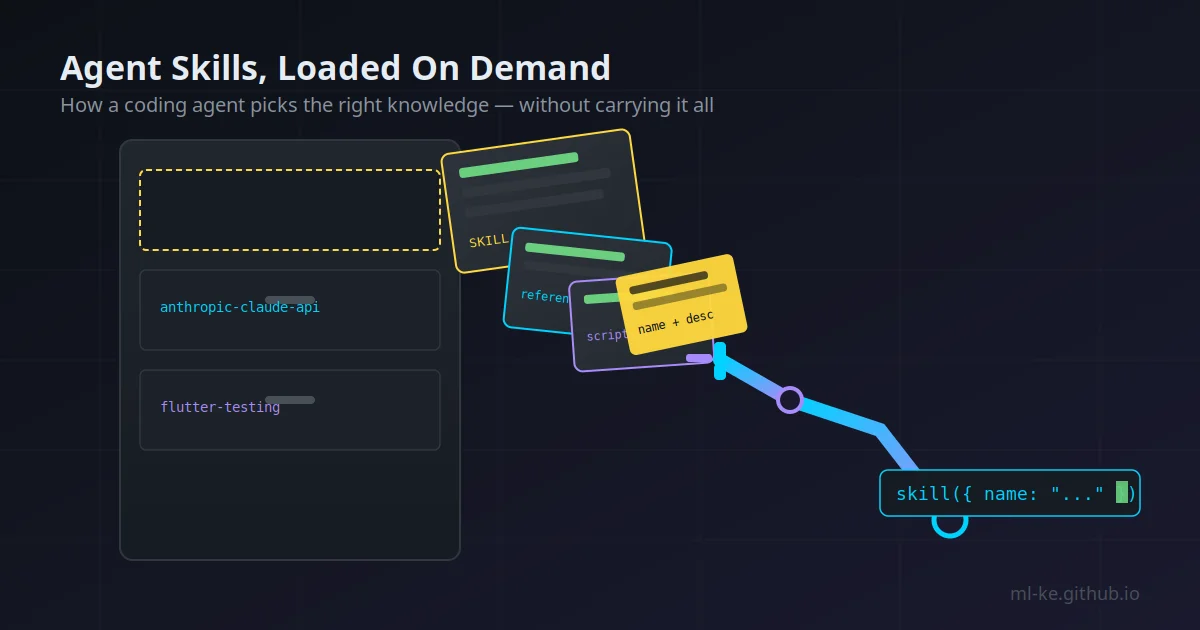
The key design decision behind skills is progressive disclosure. OpenCode doesn’t inject all 177 skills into every conversation. Instead:
- At startup, the agent sees only a compact list of name + description for each skill
- When a task matches, the agent calls the skill tool to load the full
SKILL.md - Long reference material stays in sibling files (
references/,scripts/,templates/) loaded on demand
This means you can install a huge library without blowing up the context window. Anthropic’s engineering team formalized the same pattern for Claude: a SKILL.md with YAML frontmatter (name + description) is the lightweight index; the body is procedural knowledge loaded only when relevant.
The strict part is frontmatter. OpenCode recognizes only five fields (name, description, license, compatibility, metadata) and ignores everything else. The name must:
- Be 1–64 characters, lowercase alphanumeric with single hyphens (
^[a-z0-9]+(-[a-z0-9]+)*$) - Match the directory name exactly. A mismatch silently breaks discovery.
- Have a description between 1–1024 characters, specific enough that the agent picks it correctly
If a skill doesn’t show up, the docs suggest checking: all-caps SKILL.md, frontmatter present, unique names, and permissions not set to deny.
What we’d do differently (The honest retrospective)
Running this setup for weeks surfaced five improvements, ranked by impact:
1. Define custom subagents (we skipped this entirely)
OpenCode supports custom agents in ~/.config/opencode/agents/<name>.md with their own model, temperature, and permissions. Our agents/ directory is empty. We leaned entirely on built-ins. We should have defined:
1
2
3
4
5
6
7
8
9
10
11
# security-auditor.md
---
description: Reviews code for vulnerabilities using tob-* skills
mode: subagent
temperature: 0.1
permission:
  edit: deny
  bash: deny
---
You are a security auditor. Load the relevant tob-* skill before
reviewing. Report findings with severity and remediation. Never edit files.
A read-only security auditor subagent (edit denied, temperature 0.1) would keep security reviews deterministic and side-effect-free, exactly what you want before merging risky code.
2. Gate skills with permissions instead of a blanket allow
We run permission: { edit: allow, bash: allow } globally. OpenCode supports pattern-based skill permissions (allow, deny, or ask per skill) and per-agent overrides:
1
2
3
4
5
6
7
8
9
{
  "permission": {
    "skill": {
      "*": "allow",
      "internal-*": "deny",
      "experimental-*": "ask"
    }
  }
}
For a security-focused workflow, fuzzing skills (tob-libfuzzer, tob-ossfuzz) that could spawn long-running processes deserve ask at minimum. A blanket allow is convenient until a skill does something expensive.
3. Curation beats volume (177 is too many)
Progressive disclosure means 177 skills don’t blow up context. They do inflate the tool description and, more importantly, create selection noise: the agent has to pick from 177 descriptions, and a generic description can hide a genuinely relevant skill. The count already drifted (config says 176, disk has 177). We’d curate aggressively: keep the tob-* security set and the skills for languages we actually ship, archive the rest, and add a CI check that validates frontmatter (name matches directory, description present) so drift gets caught automatically.
4. Bridge the two skill libraries
We run a second skill library inside Hermes (bug-bounty methodology, IDOR testing, JWT attacks, SAML techniques) that OpenCode can’t see. The two agents have complementary knowledge: Hermes knows how to attack, OpenCode knows how to implement. A sync script that exposes the Hermes skills to OpenCode’s discovery path would let a coding session load security methodology directly. This is the biggest unlock we haven’t built yet.
5. Per-agent model overrides
All our agents share one auto-picked free model. OpenCode supports per-agent model overrides: the docs suggest a fast model for plan/explore and a stronger one for build. With free-model availability in constant flux, we’d extend our live-testing wrapper to maintain a per-agent model assignment rather than one global list.
The verdict
The core idea (a coding agent with a curated, progressively-disclosed skill library) works. Even with the rough edges, the Trail of Bits security skills alone made the setup worth it: our coding agent goes into a task knowing how to write Semgrep rules and audit for supply-chain risk, without us pasting methodology into every prompt.
The pattern generalizes beyond OpenCode: any agent you build benefits from treating skills as a library with an index, not a prompt dump. Name things precisely, gate them with permissions, and curate hard.
Next in this series: we’ll be writing up the skill-sync bridge between Hermes and OpenCode, plus a practical guide to validating skill frontmatter at scale, so an agent’s knowledge library stays healthy as it grows.
References
- OpenCode Agent Skills docs
- OpenCode Agents docs
- Anthropic: Equipping agents for the real world with Agent Skills
- Anthropic Agent Skills overview